Canada Work From Home Tax Deductions 2026: What Remote Workers Can Claim

Imagine wrapping up a productive day at your kitchen table, coffee in hand, only to realise those utility bills and that new desk lamp could lower your 2026 tax bill. With remote work now a staple for...
The Lifetimes Canada editorial team curates, fact-checks, and updates guides on personal finance, property, health, immigration, legal, business, and lifestyle topics relevant to Lifetimes Canada readers. Articles are produced with AI assistance and reviewed by the editorial team before publication.
Imagine wrapping up a productive day at your kitchen table, coffee in hand, only to realise those utility bills and that new desk lamp could lower your 2026 tax bill. With remote work now a staple for many Canadians, understanding Canada Work From Home Tax Deductions 2026 is key to maximising your refund. Whether you're a salaried employee juggling hybrid schedules or self-employed from your spare room, this guide breaks down exactly what you can claim, backed by CRA rules.
Who Qualifies for Work-From-Home Tax Deductions in 2026?
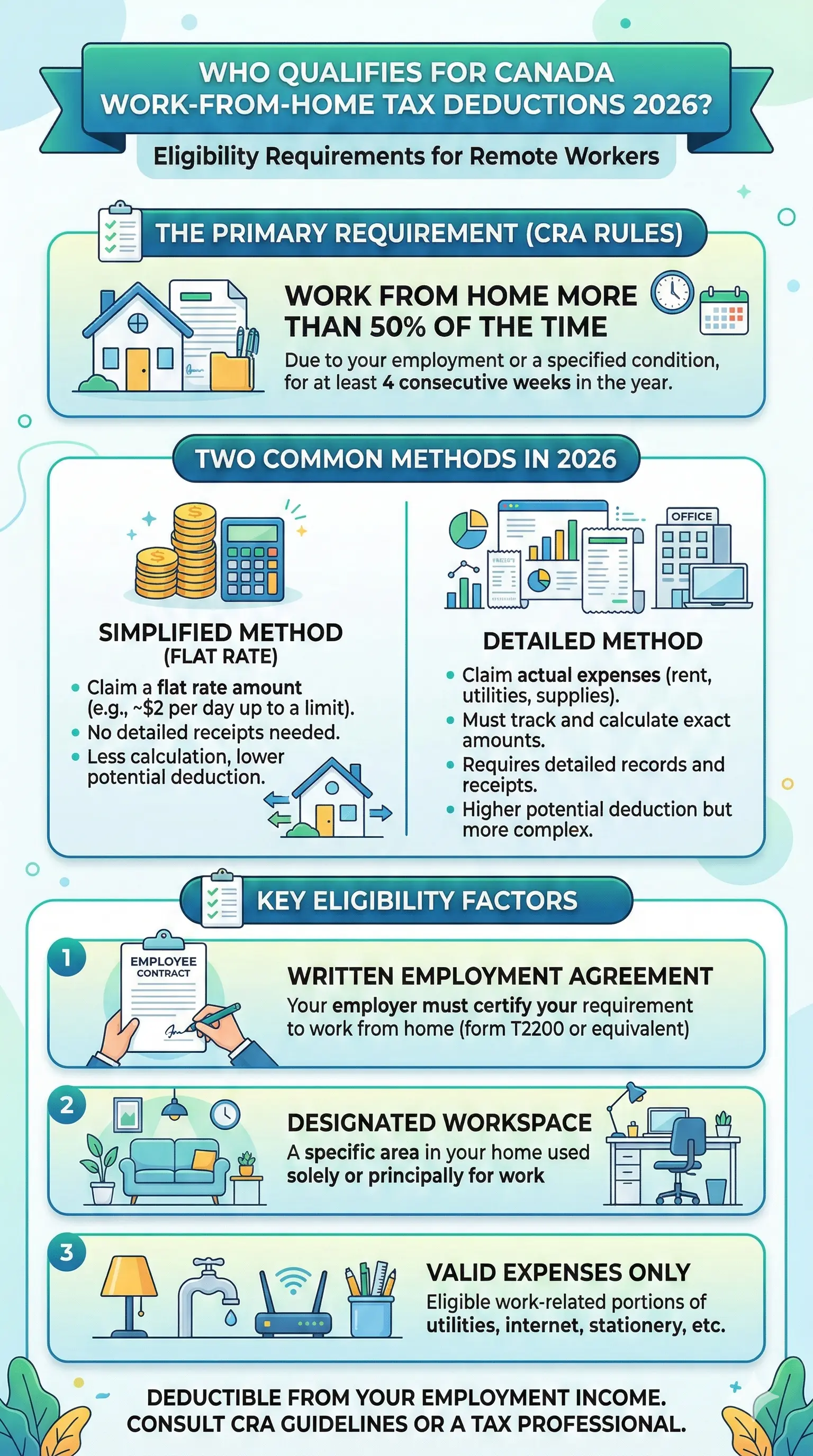
Not every remote worker can claim these deductions—eligibility hinges on strict CRA criteria. For employees, your employer must require you to work from home, confirmed via a signed Form T2200, Declaration of Conditions of Employment. You must also meet one of these tests:
- Spend more than 50% of your work time in your home workspace for at least four consecutive weeks in the year.
- Use the space exclusively to earn employment income, such as meeting clients.
Self-employed individuals and incorporated business owners have different rules: your home must be your primary place of business or used regularly for client meetings. Hybrid workers, take note—occasional remote days won't cut it; calculate your time carefully.
Key Changes for 2026: No More Flat Rate for Employees
The temporary flat rate method ($2 per day, available 2020-2022) ended after 2022. For 2023 and later—including your 2026 filing—you must use the detailed method, tracking actual expenses with receipts. Self-employed folks, however, can opt for a simplified $500 flat deduction without receipts if your home is your main workspace, or go detailed for bigger claims.
Eligible Expenses: What Remote Workers Can Claim
Once eligible, calculate the deductible portion based on your workspace's size relative to your home (e.g., 10% of square footage) and time used for work (e.g., 50% of the time). Multiply these for your percentage—say, 5% of total eligible costs.
For Salaried and Commission Employees
Use Form T777, Statement of Employment Expenses, with your T2200. Claim a portion of:
- Utilities: Electricity, heat, water, and condo fees' utility portion.
- Internet: Home internet access fees.
- Maintenance: Repairs and minor fixes (not major renovations).
- Rent: If you're renting your home.
- Supplies: Office items like pens, paper (separate from workspace expenses).
- Phone: Portion of cell or landline used for work.
Commission employees get extras like property taxes and insurance under ITA s.8(1)(f), but still need T2200. Homeowners can't claim mortgage interest or CCA directly as employees—leave that to self-employed.
For Self-Employed and Freelancers
Report on Line 9945. Deduct percentages of:
- Rent or mortgage interest (not principal).
- Property taxes.
- Utilities, insurance, maintenance.
- Capital Cost Allowance (CCA) for depreciation on your home (use cautiously to avoid recapture).
Example: Annual rent $30,000, utilities $3,600, internet $1,200. Workspace is 12% of home, used 60% for work. Deductible rate: 7.2%. Claim: $2,491.20.
If you and your spouse both work from home, split expenses—each can only claim once per category.
How to Calculate and Claim Your Deductions Step-by-Step
- Get Form T2200: Ask your employer to sign, confirming requirements and no reimbursement.
- Measure Your Space: Square footage of workspace ÷ total home area × work usage % = deductible portion.
- Gather Receipts: Track everything for at least six years (CRA audit window).
- Complete Forms: T777 for employees; detailed method worksheet for self-employed. Use CRA's Guide T4044 for businesses.
- File: Via tax software, accountant, or paper from canada.ca. Deadline: April 30, 2027 (or June 15 for self-employed, payment due April 30).
Pro Tip: Use a spreadsheet: Column A for total expense, B for % deductible, C for claimable amount. Tools like QuickBooks or Excel templates from CRA simplify this.
Common Mistakes to Avoid in 2026
- Claiming without T2200—automatic denial.
- Forgetting time tracking for hybrids—use apps like Toggl.
- Double-claiming shared spaces with family.
- Employees claiming CCA or mortgage principal (not allowed).
- No records—keep digital scans.
Practical Tips for Maximising Your Claims
- Designate a dedicated workspace to hit the exclusive-use test.
- Bundle internet/router costs if shared reasonably for work.
- Self-employed? Compare simplified ($500 max) vs. detailed—detailed often wins.
- Contribute to RRSP or FHSA alongside for bigger refunds (2026 RRSP deadline: March 1, 2027).
- Hire a CPA if complex—firms like Shajani CPA specialise in this.
FAQ: Common Questions on Canada Work From Home Tax Deductions 2026
Q: Can I claim if I'm hybrid (office 3 days, home 2)?
A: Yes, if home exceeds 50% for four+ consecutive weeks. Track meticulously.
Q: What's the simplified method for self-employed?
A: Up to $500 without receipts if home is primary workspace; detailed for more.
Q: Do I need receipts for everything?
A: Yes for detailed method; CRA may audit. Temporary flat rate gone for employees.
Q: Homeowners vs. renters—who gets more?
A: Renters claim rent easily; owners add taxes/insurance (self-employed only). No mortgage principal.
Q: What if my employer won't sign T2200?
A: No deduction. Push politely—it's standard.
Q: Does this affect EI or CPP?
A: No direct impact, but lower taxable income reduces CPP contributions slightly.
Next Steps: Optimise Your 2026 Taxes Today
Start a deduction folder now—scan bills monthly. Download Form T2200 from canada.ca and discuss with your employer before year-end. For self-employed, run simplified vs. detailed scenarios. Consult a tax pro via CRA's directory or firms like Edward Jones for personalised advice. Remember, this isn't advice—verify with a qualified accountant or cra-arc.gc.ca, as rules can change.